

A lot of CRM advice for wedding businesses is written with planners in mind.
That creates confusion for venue owners.
A wedding planner usually needs software to manage the event after a couple has already booked. They may need timelines, vendor tasks, design notes, floor plans, checklists, and day-of details.
A wedding venue needs software for a different reason. The main goal is to manage leads, tours, contracts, payments, and booked dates.
That means a wedding venue CRM should be judged by how well it helps your team answer questions like:
- Which dates are still available?
- Which couples have toured but have not booked?
- Which inquiries still need a response?
- Which contracts have been sent but not signed?
- Which payments are upcoming, late, or complete?
- Which lead sources are turning into booked weddings?
Those are the questions that affect revenue.
A platform may be great for planning an event and still be a poor fit for managing a venue’s sales process. That is why this comparison looks at HoneyBook, Dubsado, Aisle Planner, and Táve through a venue-specific lens.
We are judging each CRM by how well it supports the path from inquiry to tour to signed contract to paid booking.
The 5 CRM Jobs Wedding Venues Should Score For
A good comparison should not judge these platforms by general feature count. For venues, the better question is how well each tool supports the jobs that protect revenue.
Let’s take a look at 5 important things a good customer relationship management system should do:
1. Calendar Visualization
The calendar is your inventory.
A venue needs to see open dates, booked dates, tour dates, soft holds, payment deadlines, and event status clearly. Saturday dates, premium seasons, holiday weekends, and multi-day rentals need extra attention because they carry more revenue weight.
A CRM that handles client communication well but makes date status hard to read can still create problems for a venue team.
2. Contract Templating
Venue contracts are repeatable, but they are rarely identical.
The CRM should make it easy to build templates for package details, rental windows, payment terms, guest counts, insurance requirements, security deposits, add-ons, house rules, cancellation terms, and date-specific details.
The goal is to reduce manual editing without creating a contract process that feels generic or sloppy.
3. Tour-to-Signed Flow
This is the most important sales path for most venues.
A couple inquires. They get a reply. They schedule a tour. They visit. They receive follow-up. They review the agreement. They sign. They pay.
If the CRM does not support that path clearly, it may still be useful, but it is probably not the best wedding venue CRM for revenue control.
4. Payment-Plan Handling
Wedding venues often collect deposits, scheduled payments, final balances, security deposits, add-on charges, catering payments, bar package payments, and late-stage upgrades.
The CRM should make payment schedules easy for the team to track and easy for the couple to complete.
This matters even more for venues with higher package values, longer booking windows, and multiple payment milestones.
5. Vendor Referral Tracking
A lead from a planner who sends three strong bookings per year is different from a directory inquiry that never turns into a tour.
The CRM should help the venue see which sources create actual revenue. That includes planners, photographers, caterers, DJs, florists, Google, Meta ads, directories, open houses, past couples, and preferred vendor partners.
After all, venues trying to get more wedding leads, lead quality matters as much as lead volume.
Quick Verdict: Best CRM by Venue Type
Here is the practical answer before we get into the deeper comparison:
HoneyBook is the best fit for most smaller wedding venues that need a cleaner sales process, faster inquiry follow-up, proposals, contracts, invoices, payments, and basic automation without a heavy setup process.
Dubsado is the best fit for venues with more complex booking workflows such as catering, coordination, rentals, custom packages, detailed forms, add-ons, and multi-step payment schedules.
Aisle Planner is the best fit for full-service venues that manage planning, production, vendor collaboration, layouts, timelines, and event details after the booking.
Táve is a niche fit for photography-led or studio-led businesses that also rent space for weddings, elopements, workshops, or creative events.
Now, let’s break down each platform in more detail, so you can get a clear picture of what might work for you and your venue,.
HoneyBook Review for Wedding Venues
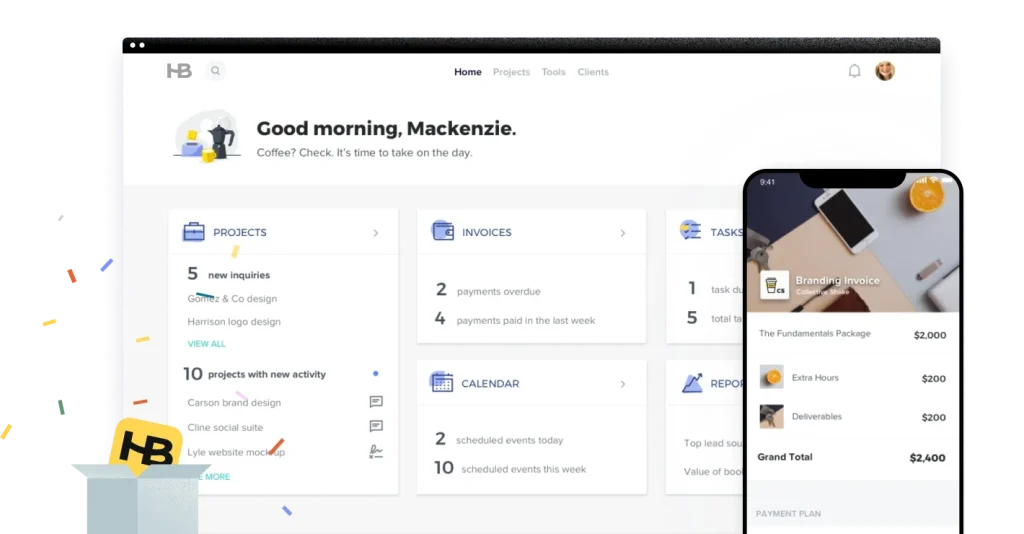
Source: https://www.honeybook.com/invites
HoneyBook is the strongest fit for smaller wedding venues, newer venues, and mixed-use event spaces that need one place for inquiries, proposals, contracts, invoices, payments, calendar items, automation, and client communication.
Its biggest advantage is adoption. A venue owner or small team can usually understand the sales flow quickly and use it without building a highly customized system first.
Where HoneyBook Wins
HoneyBook wins when the venue needs better front-end sales control.
For a venue owner handling inquiries personally, HoneyBook gives enough structure to manage the path from inquiry to booked date without feeling like a large event-management platform.
It is especially useful when the venue has a repeatable package structure:
- Venue rental
- Ceremony add-on
- Reception add-on
- Bar package
- Preferred vendor list
- Standard deposit
- Scheduled payment plan
- Final balance deadline
The proposal, contract, invoice, and payment pieces sit close together, which helps reduce the gap between “we loved the tour” and “we signed the agreement.”
Where HoneyBook Loses
HoneyBook is not built around venue inventory in the deepest sense.
A venue with multiple ceremony sites, reception spaces, room blocks, multi-day buyouts, soft holds, and complex internal event statuses may eventually need more calendar and operations structure.
Vendor referral tracking can also require discipline. HoneyBook can capture lead-source data, but venues that want tighter attribution from ads, directories, planners, open houses, and preferred vendors may need additional reporting support outside the CRM.
Best HoneyBook Use Case
Choose HoneyBook if your venue needs faster inquiry response, better tour follow-up, cleaner proposals, signed contracts, and fewer manual payment reminders.
For many small venues, it is the most practical starting point in a wedding venue software stack.
Dubsado Review for Wedding Venues
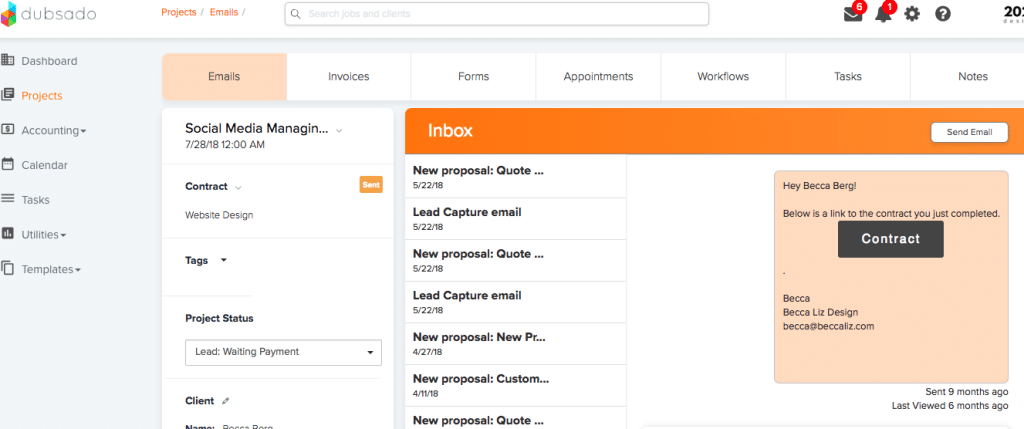
Source: https://dubsado.releasenotes.io/release/CShEn-new-user-interface
Dubsado is the strongest fit for venues with custom workflows, detailed forms, more complex payment schedules, and package structures that require more setup logic.
It is not venue-specific, but it can fit venues well when the booking process has multiple moving parts.
Where Dubsado Wins
Dubsado becomes more valuable when one booking involves multiple forms, add-on choices, guest-count checkpoints, payment milestones, and internal tasks.
That makes it a strong fit for venues that handle:
- Catering
- Bar packages
- Coordination
- Rentals
- Staffing
- Room changes
- Custom proposals
- Package add-ons
- Detailed intake forms
- Guest-count deadlines
Its forms, proposals, contracts, invoices, payment plans, schedulers, client portals, and workflows can support a more detailed venue sales process.
Where Dubsado Loses
Dubsado requires more setup discipline than HoneyBook.
That flexibility is useful, but it can create a messy system if the pipeline stages, forms, payment templates, automations, tags, and client statuses are not planned before setup.
A venue that wants something simple may feel buried in setup decisions. A venue with complex packages may appreciate the control.
Best Dubsado Use Case
Choose Dubsado if your venue needs custom forms, detailed payment schedules, proposal flexibility, stronger workflow logic, and a more tailored client portal experience.
It is especially useful for venues that handle catering, coordination, add-ons, or semi-custom packages.
Aisle Planner Review for Wedding Venues
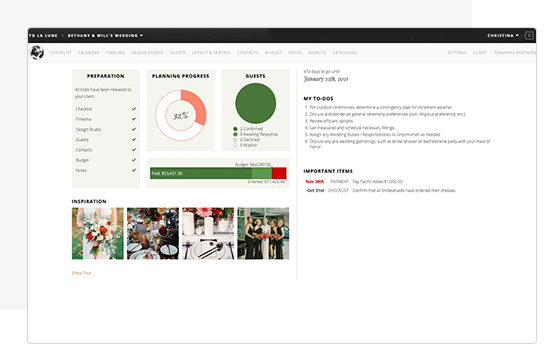
Source: https://www.theaisleguide.com/features/project-management
Aisle Planner is the most event-native platform in this comparison.
It makes the most sense for venues that need CRM plus planning, collaboration, layouts, timelines, vendor coordination, and internal event prep.
That makes it more venue-appropriate than many generic tools, but the fit depends on how much work your team does after the couple signs.
Where Aisle Planner Wins
Aisle Planner wins when the venue sells more than space.
If your team manages planning, catering coordination, vendor collaboration, layouts, floor plans, production notes, or day-of details, Aisle Planner may fit better than a lighter CRM.
It is also valuable for venues with multiple team members involved after booking. Sales, planning, operations, catering, and event staff may all need visibility into the same client record.
Where Aisle Planner Loses
The risk is buying a planning platform when the venue mainly needs a sales CRM.
A venue that needs lead response, tour booking, contracts, invoices, and payment reminders may not need the deeper event-production layer. In that case, the CRM can feel heavier than the sales process requires.
This is why Aisle Planner scores well, but does not rank first overall for most venues in this comparison. It is strongest after the booking. Many venues shopping for a CRM are trying to repair the steps before the booking.
Best Aisle Planner Use Case
Choose Aisle Planner if your venue has a true planning or production layer.
It belongs on the shortlist for full-service venues, catering-led venues, high-touch private estates, and venues that need client collaboration after the contract is signed.
Táve Review for Wedding Venues
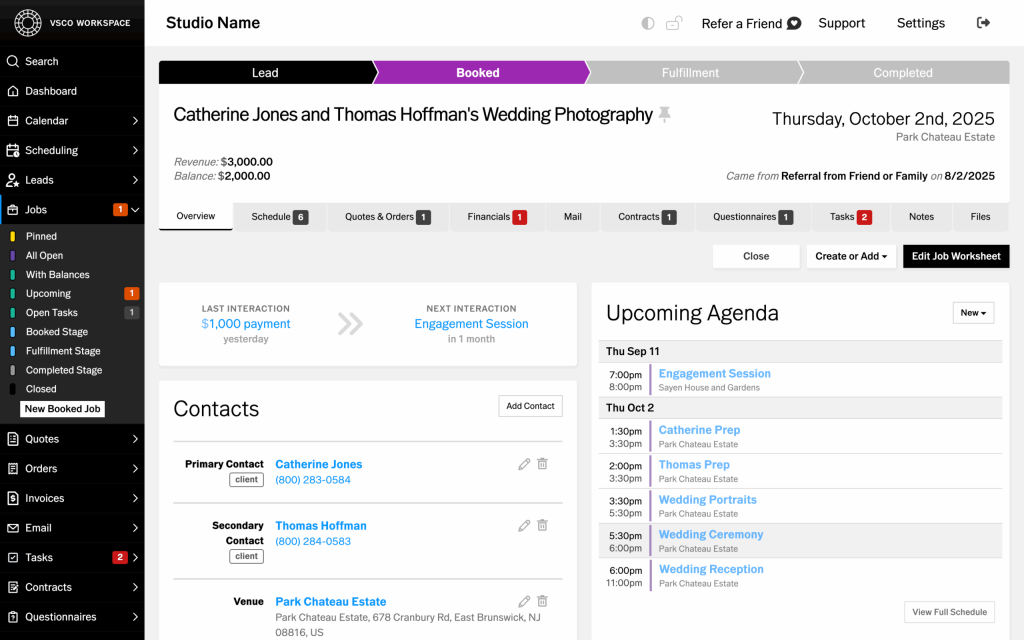
Source: https://www.slrlounge.com/inside-vscos-acquisition-of-tave-a-game-changer-for-creatives/
Táve, now VSCO Workspace, is the least venue-native option in this comparison.
It is included because some venue owners encounter it through photography, studio rental, or creative-service workflows. For a pure wedding venue, it is usually not the first system to evaluate.
Where Táve Wins
Táve wins when the business is photography-first or studio-first.
A photographer who owns a studio and rents it for elopements, portraits, workshops, micro-weddings, or private events may appreciate Táve’s logic. It is built around creative bookings, leads, jobs, contracts, invoices, workflows, and reporting.
It can also work when the owner thinks in terms of shoots, sessions, packages, and creative production rather than venue inventory.
Where Táve Loses
For a traditional wedding venue, Táve’s photography-first structure can create friction.
A venue team may find itself adapting the platform to fit venue sales instead of working inside a system built for date inventory, tours, rental agreements, and event-space revenue.
That does not make Táve a bad tool. It makes it a narrower venue fit.
Best Táve Use Case
Choose Táve if your business blends photography, studio rental, creative production, and event bookings.
Do not make it the default choice for a venue-only business unless your team already prefers photography-studio CRM logic.
How to Choose Based on Your Booking Bottleneck
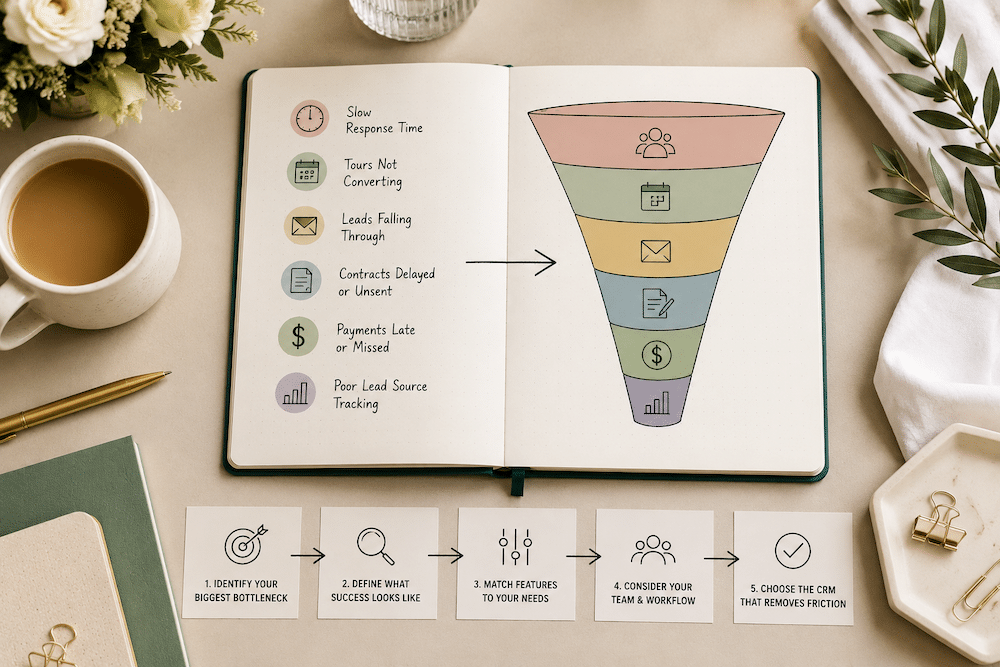
Still not sure which wedding venue CRM is right for you? To answer that, you have to really look at where your booking process is breaking down.
A venue with slow inquiry follow-up does not need the same system as a venue juggling catering details, custom packages, and post-booking planning. Before you choose software, look at the part of the sales process that creates the most friction.
Here are some things to consider when making this decision:
1. How fast can your team respond to new inquiries?
A CRM should help your team see new leads quickly, assign ownership, send the right first response, and follow up without relying on memory.
Look for:
- Lead forms that capture the right details
- Automatic inquiry notifications
- Email templates for fast responses
- Follow-up reminders
- Pipeline stages for new, contacted, toured, and booked leads
- Easy visibility into unanswered inquiries
This matters most if leads are going quiet before they ever book a tour.
2. How clearly can you manage tour follow-up?
For most venues, the tour is the main sales moment. The CRM should make it easy to see who booked a tour, who completed a tour, who needs follow-up, and who is ready for a proposal or contract.
Look for:
- Tour scheduling tools
- Calendar visibility
- Post-tour follow-up templates
- Tasks tied to tour dates
- Notes from the tour
- Clear status changes after the tour
- Reminders for couples who have not replied
A CRM that stores contact information but does not help with tour follow-up will still leave revenue on the table.
3. Can the CRM handle your contract and payment process?
Some venues have a simple rental agreement and deposit. Others have multiple packages, bar minimums, guest-count deadlines, catering charges, security deposits, and scheduled payments.
The right CRM should match the level of complexity in your booking process.
Look for:
- Contract templates
- E-signature
- Proposal or package options
- Invoice creation
- Deposit collection
- Payment plans
- Automated payment reminders
- Internal notes for special terms or add-ons
This is where many venues outgrow a basic contact manager.
4. Can your team see date availability clearly?
For a venue, the calendar is not just a schedule. It is inventory.
The CRM should help your team understand which dates are open, held, toured, contracted, paid, or fully booked.
Look for:
- Shared calendar visibility
- Event-date fields
- Tour-date fields
- Soft-hold tracking
- Booked-date tracking
- Payment deadline visibility
- Filtering by event date, lead status, or booking status
If your team has to check a CRM, Google Calendar, a spreadsheet, and someone’s inbox before answering a couple, the system is too fragile.
5. Can you track which lead sources turn into bookings?
A venue does not only need more inquiries. It needs more qualified inquiries that become tours and signed contracts.
The CRM should help you track the difference between lead volume and booked revenue.
Look for:
- Lead-source fields
- Referral partner tracking
- Tags for planners, photographers, directories, ads, Google, social media, and past couples
- Pipeline reporting by source
- Booked weddings by source
- Notes on vendor referrals
- Exportable data for marketing analysis
This is especially important if you are investing in ads, SEO, directories, open houses, or preferred vendor relationships.
6. Will your team actually use it every day?
The best CRM on paper is useless if the team avoids it.
A venue CRM should be easy enough for the people handling inquiries, tours, contracts, payments, and event handoff to use consistently.
Look for:
- A clean dashboard
- Simple pipeline stages
- Easy task management
- Searchable client records
- Clear client communication history
- Mobile access, if your team uses it on-site
- Reporting that does not require manual cleanup every week
Before committing, test the CRM with a real venue workflow. Add a fake inquiry, schedule a tour, send a follow-up, create a proposal, send a contract, collect a deposit, and mark the date as booked.
That test will tell you more than a feature checklist.
Migration Considerations when Choosing a CRM
Choosing the CRM is only half the decision. You also need to think about what it will take to move your current system into the new one.
For most wedding venues, basic contact data is not the hard part. Names, emails, phone numbers, inquiry dates, event dates, lead sources, notes, and booked client lists can usually move with a cleaned spreadsheet.
The harder part is moving the way your venue actually works.
Your current CRM may have inquiry statuses, tour follow-up reminders, proposal templates, contract language, payment schedules, lead-source tags, email templates, calendar notes, and automations that your team depends on every week. Those pieces often have to be rebuilt manually in the new platform.
That matters because a messy migration can create the exact problems the CRM was supposed to fix. Leads get missed. Tours do not receive follow-up. Contracts sit unsent. Payment reminders break. Staff members keep using old spreadsheets because the new CRM does not match the real workflow yet.
Before you switch, ask:
- What records need to move?
- Which active leads are still in conversation?
- Which booked clients still have payments due?
- Which contracts, forms, and email templates need to be rebuilt?
- Which automations are business-critical?
- Who will check that every active event made it into the new system correctly?
The safest approach is to migrate active opportunities first. Start with current inquiries, upcoming tours, unsigned contracts, booked couples, open invoices, and upcoming event dates. Once those are clean, bring over older records.
A CRM migration should protect your current booking pipeline before it cleans up your archive. If moving platforms creates confusion during active sales conversations, the cost is higher than the subscription price.
The CRM Will Not Fix a Weak Booking System
A CRM can organize leads. It cannot create demand by itself. And a messy CRM is often a symptom.
The real issue may be lead quality, response speed, tour follow-up, proposal timing, pricing clarity, or a booking process that puts too much work on the couple.
Fully Booked Venue helps wedding venues build stronger lead, tour, and booking systems so the CRM supports revenue instead of becoming another place where leads go quiet.
If your venue has old inquiries, missed follow-ups, soft holds, unbooked tours, or couples who disappear after receiving pricing, the software may only be showing you where the deeper issue lives.
Book a strategy call with Fully Booked Venue, and we’ll help you identify what needs to change across your lead flow, tour process, and booking system.
Final Recommendation on Wedding Venue CRMs
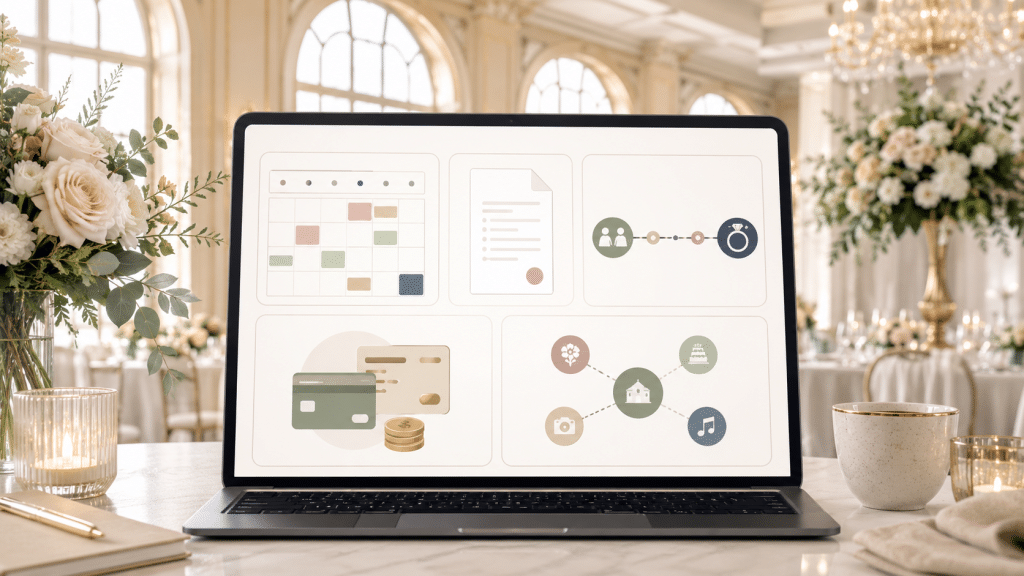
For most wedding venues, start by comparing HoneyBook and Dubsado.
HoneyBook is usually the better choice when the venue needs sales clarity fast. Dubsado is usually the better choice when the venue has more complex packages, payments, forms, and internal workflows.
Add Aisle Planner to the shortlist if your venue manages planning or production after booking.
Add Táve only if your venue business overlaps heavily with photography, studio rentals, or creative-service operations.
The wrong choice is picking the platform with the longest feature list.
The better choice is picking the CRM that matches your venue’s real bottleneck: lead response, tour conversion, contract follow-up, payment collection, post-booking management, or source tracking. That is how to find the best wedding venue management software for your business.
If you want guidance on which CRM makes sense for your venue, how to set it up around your booking process, or where your current lead flow is breaking down, contact us today. We’ll look at how inquiries come in, how tours are booked, where follow-up gets missed, and what needs to happen before more couples turn into signed contracts.
Key Takeaways
- A wedding venue CRM should be evaluated around venue revenue tasks, not generic event planning features. The key jobs are managing leads, tours, contracts, payments, booked dates, and lead sources.
- HoneyBook is the strongest fit for smaller or owner-led venues that need a cleaner sales process, while Dubsado is better suited for venues with more complex booking workflows, custom packages, forms, and payment schedules.
- Aisle Planner makes the most sense for full-service venues that stay involved after booking, while Táve is a niche fit for photography-led or studio-led businesses that also rent event space.
- CRM choice should include migration planning. Basic contact data may move easily, but automations, payment schedules, contract logic, forms, and active sales workflows often need to be rebuilt.
- Fully Booked Venue helps venues look beyond the software choice and identify where the booking system is breaking down, from lead quality and response speed to tour follow-up, proposals, and signed contracts.
Frequently Asked Questions
What is the best CRM for the wedding industry?
The best CRM for the wedding industry depends on the business model. A wedding venue should evaluate customer relationship management software differently than an event planner would because the venue’s priority is usually leads, tours, contracts, payments, and booked dates. For many event venues, HoneyBook is a strong fit for simple sales workflows, while Dubsado can work better for custom forms and payment schedules. Aisle Planner may fit full-service venues with a deeper planning process, and Táve is more relevant for photography-led spaces.
What is the 50/20/30 rule for weddings?
The 50/20/30 rule is a budgeting guideline some couples use during wedding planning. It usually means assigning the largest share of the budget to major costs like the venue, food, and beverage, then reserving the rest for priorities and flexible extras. For a venue manager, this matters because potential clients may be comparing your pricing against other venues while trying to understand what portion of their total budget should go toward the space.
What is the 30-5 rule for weddings?
The 30-5 rule is a reminder that wedding-day tasks often take longer than couples expect. A task that seems like it should take 5 minutes can easily take 30 once guests, vendors, setup, photos, and transitions are involved. This is especially important for larger venues, venues with multiple spaces, or teams using event management tools and project management tools to coordinate details across the day.
What should a wedding venue look for in a CRM?
A venue should look for event venue software that supports venue management from inquiry through signed contract. The right platform should help prevent double bookings, store client data, keep contact info easy to find, support contract templates, help couples book tours, and give the team clear visibility into payment collection and payment tracking. A good crm system should also be user friendly enough for one person teams, solo operators, and teams with different levels of software comfort.
Can a CRM help wedding venues get more bookings?
A CRM can help improve client engagement, reduce missed follow-up, and create a better client experience, but it will not fix weak demand or unclear sales messaging by itself. The best setup gives your team one system for active leads, rather than relying on same emails, spreadsheets, and separate tools. Some venues compare HoneyBook, Dubsado, Aisle Planner, Táve, and planning pod because the venue industry has complex operations and many tools available. Fully Booked Venue helps venue owners choose a wedding specific setup based on team size, booking goals, and the level of detail they need, from saving time with a simpler CRM to supporting larger teams that need more features in one platform across the broader events industry.