
You’re probably managing inquiries through a combination of email, a spreadsheet, and memory. It works until it doesn’t, until a couple falls through the cracks, a held date gets double-booked, or you lose a Friday booking because the follow-up never went out. A CRM for your wedding venue is the system that closes those gaps.
This guide covers how venue managers actually use CRM software, which tools are worth evaluating, and what each one costs. Not a list of generic features, a practical breakdown by venue type and team size.
A CRM is one piece of the bigger system. If you haven’t mapped where it fits in your overall wedding venue marketing strategy, the tool you pick won’t matter much.
What venue managers actually use a CRM for
The marketing language around CRM software (“pipeline visibility”, “lead scoring”, “automated nurture sequences”) describes generic sales software. Wedding venue CRM use cases are more specific:
- Tracking which inquiries have been responded to, and which haven’t. In a busy season, an unread inquiry from three days ago can cost you a booking. A CRM with a unified inbox or task view prevents this.
- Managing holds and tentative bookings, a couple says they’re interested in a date, you hold it informally, and then the email chain gets buried. CRM tools with calendar integration tie holds to specific records so nothing slips.
- Running a follow-up sequence without reinventing it every time, the best follow-up templates are written once and reused. A CRM stores them, sends reminders, and in some cases sends them automatically.
- Sending proposals and contracts without switching tools, some venue CRM tools include proposal builders and e-signature. Eliminating the DocuSign or PDF step reduces the friction between “interested couple” and “signed contract.”
- Collecting deposits and payments, a handful of tools process payments directly, which removes the manual invoice-and-wait step from your workflow.
If your venue handles fewer than 30 inquiries per month, a well-organized Gmail setup with a shared label system and a calendar can cover most of this. The CRM question becomes urgent when inquiry volume makes individual tracking genuinely difficult, or when staff turnover means inquiry context lives in one person’s head.
Wedding venue CRM tools: what venues are actually using
There’s no CRM built exclusively for wedding venues. The tools venues use fall into three categories: event professional platforms (built for photographers, planners, and venues broadly), hospitality event management tools (built for hotels, restaurants, and venues with food and beverage), and general small business CRMs adapted for venue use.
Here’s how the commonly used options compare:
| Tool | Starting price | Best for | Contracts + e-sign | Payment processing |
|---|---|---|---|---|
| HoneyBook | $29/month | Solo coordinators, small venue teams | Yes | Yes |
| Aisle Planner Pro | Free 30-day trial (paid plans) | Full-service planning + venue hybrid operations | Yes | Yes |
| Tripleseat | Quote-based | Venues with F&B, hotels, multi-room properties | Yes | Yes |
| 17hats | ~$15/month | Solo owner-operators, very small venues | Yes | Yes |
| HubSpot CRM | Free (basic) / $15+/month | Venues with a dedicated marketing team | No (add-on) | No |
HoneyBook for wedding venues
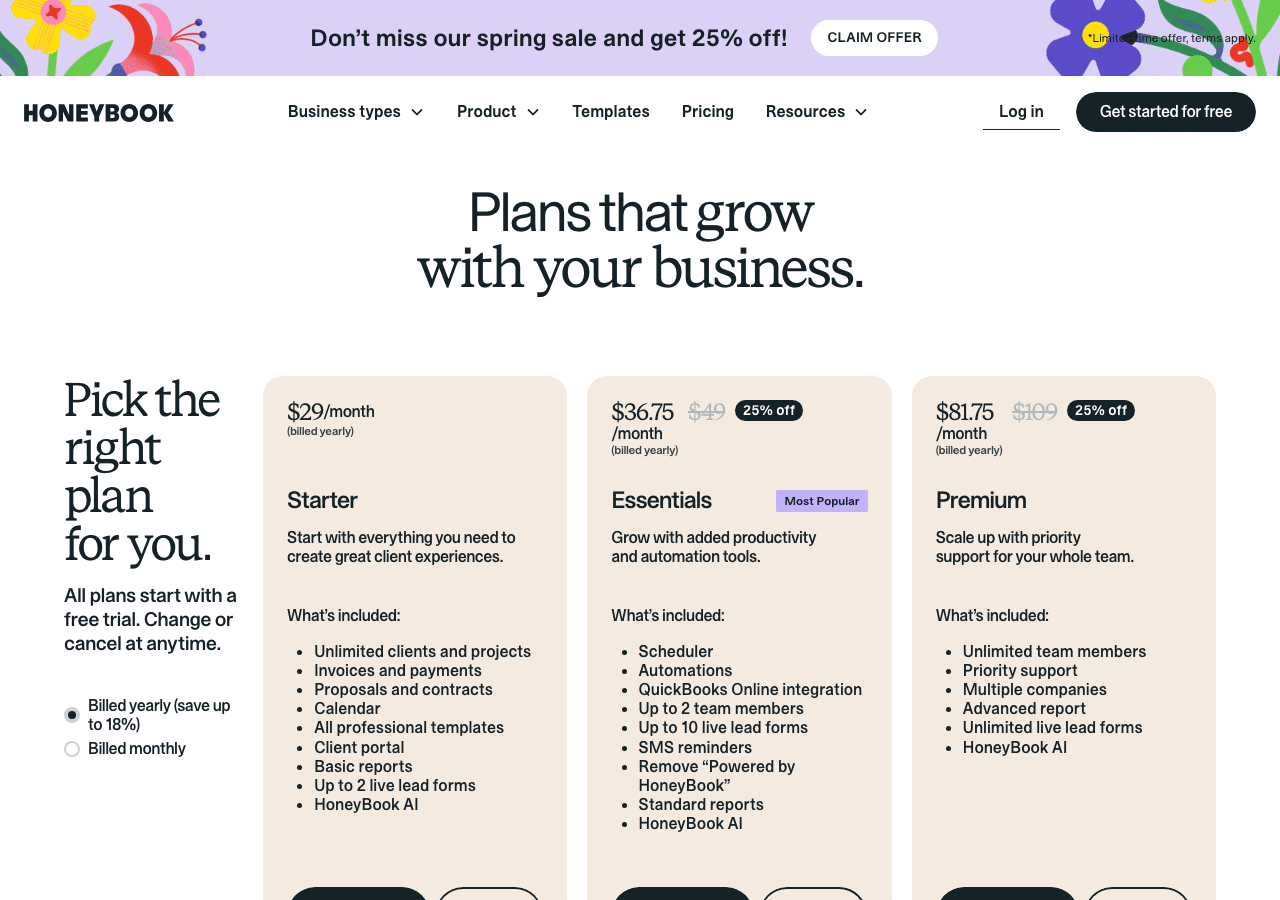
HoneyBook is the most commonly mentioned tool among independent venue managers and small venue teams. It was built for creative service businesses broadly, photographers, planners, designers, but its workflow maps cleanly onto venue inquiry management.
What works for venues: the inquiry-to-contract pipeline is linear and visual. A new inquiry becomes a project. The project moves through stages you define (Inquiry Received, Proposal Sent, Contract Signed, Deposit Paid). Templates for initial responses, proposals, and contracts are reusable. Payment processing is built in, couples can pay the deposit directly through the portal without a separate invoicing step.
What doesn’t work as well: HoneyBook doesn’t have a native venue calendar with hold management. If you need to track which dates are held versus confirmed versus available across multiple spaces, you will be managing that in a separate calendar. It also doesn’t have food and beverage management, floor plan tools, or BEO (Banquet Event Order) generation — features that matter for venues with in-house catering.
Pricing as of 2026: Starter plan at $29/month, Essentials at $79/month (most venues use this tier), Premium at $109/month. All plans include unlimited clients and projects. The difference between tiers is primarily scheduling tools, automations, and HoneyBook AI features.
Aisle Planner Pro for wedding venues
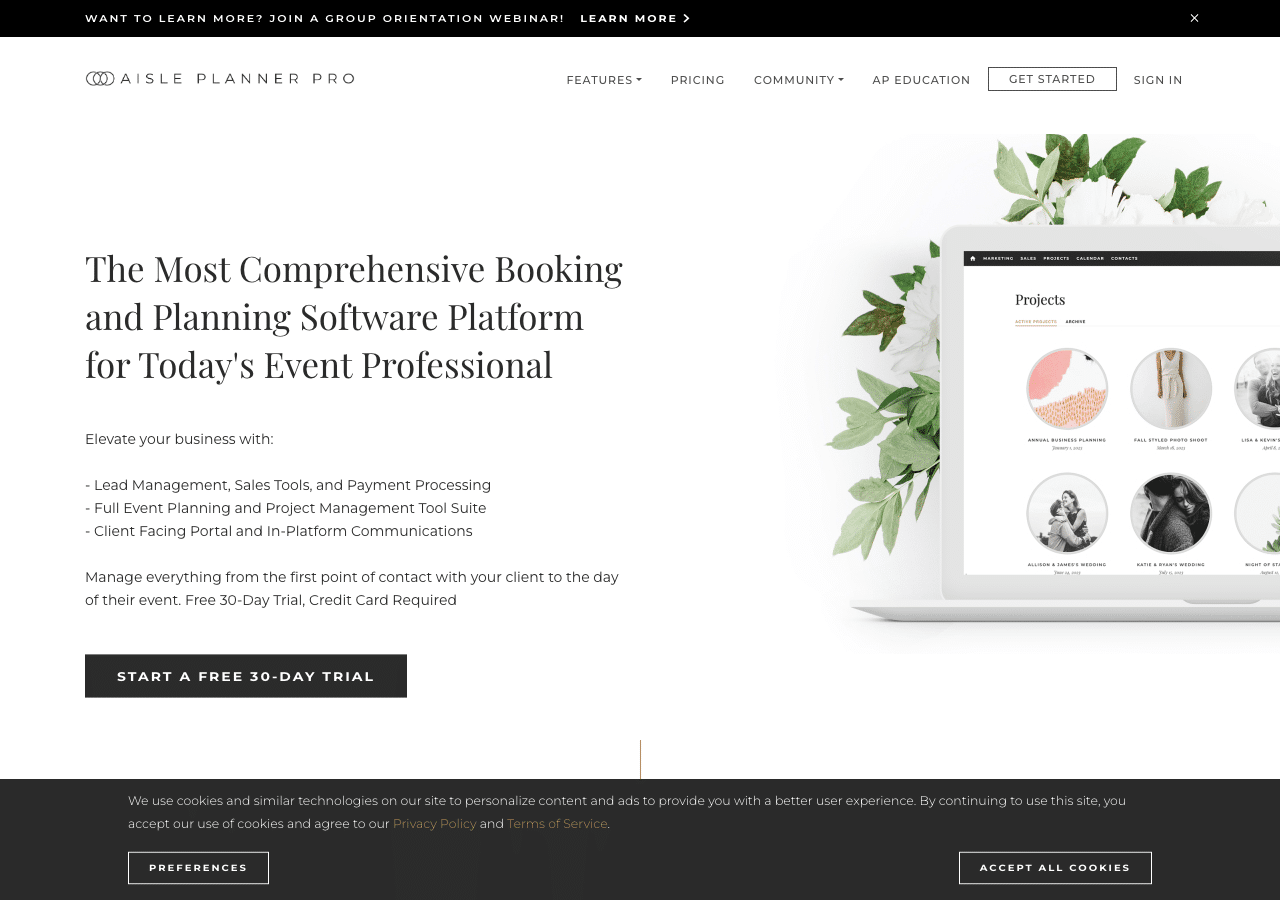
Aisle Planner Pro positions itself as a comprehensive platform for event professionals, which in practice means it covers more of the planning workflow than HoneyBook, guest list management, floor plan tools, timelines, and vendor coordination sit alongside the CRM features. For venues that also handle coordination or work closely with in-house planners, this breadth is useful.
For pure CRM use, inquiry tracking, proposal sending, contract management. Aisle Planner Pro is more capable than HoneyBook in some areas (notably the planning collaboration features) and comparable in others. The client portal allows couples to access their event details, fill out questionnaires, and upload documents without back-and-forth email.
The free 30-day trial gives you enough time to run one or two real inquiries through the system before committing. Note that a credit card is required at signup. Paid plan pricing is available on their website.
Tripleseat for venues with food and beverage
Tripleseat is purpose-built for hospitality venues, restaurants, hotels, unique venues, country clubs. If your venue includes catering, bar packages, or multi-room event management, Tripleseat covers features that HoneyBook and Aisle Planner do not: BEO generation, food and beverage menus, room diagramming, and revenue reporting by event type.
The tradeoff is price point and complexity. Tripleseat does not publish public pricing, it’s quote-based and typically positioned above what a solo venue manager would spend on software. It makes sense for venues doing significant event volume where the operational efficiency justifies the cost.
If your venue sells a rental-only package without food and beverage, Tripleseat is likely more than you need. If you manage catering packages, off-premise catering, or multi-day event programs, it’s worth requesting a demo before ruling it out.
17hats for solo venue operators
17hats occupies the lowest price point of the serious options, starting around $15 per month for the basic plan. It’s a general small business CRM that covers quotes, contracts, invoices, and basic automation. The interface is simpler than HoneyBook and the automation options are more limited, but for a solo owner-operator handling under 20 inquiries per month who doesn’t want to pay $79 for HoneyBook’s Essentials plan, 17hats covers the core workflow.
The gap between 17hats and HoneyBook shows up in the automation layer. HoneyBook’s workflow automations can send follow-up sequences, schedule reminders, and trigger next steps based on where a couple is in the pipeline. 17hats automations are more limited: scheduling reminders and sending templates, but with less conditional logic. If your venue is at the stage where a consistent follow-up sequence is the priority, that gap matters.
HoneyBook vs. Aisle Planner Pro: the head-to-head most venues are actually deciding between
Most venue managers I talk to end up comparing these two specifically. Here’s where they actually differ beyond the feature lists:
Pipeline visibility: HoneyBook’s project pipeline is more visual and easier to read at a glance. You can see every active inquiry, where it is in the process, and what the next action is from the dashboard. Aisle Planner’s interface is organized around events rather than pipeline stages, which feels more natural once a booking is confirmed but requires more navigation during the inquiry phase.
Client experience: Both have client portals, but Aisle Planner’s portal is more robust for planning collaboration. Couples can view floor plans, checklists, and vendor details in addition to their contract and payment history. For rental-only venues, this depth is more than you need (and you’ll be paying for planning tools you’re not using). For venues that coordinate or co-plan with couples, Aisle Planner’s portal is meaningfully better.
Learning curve: HoneyBook takes most venue teams one to two weeks to feel comfortable with. Aisle Planner’s breadth means the learning curve is longer, particularly for staff who need to understand the planning tools alongside the CRM features. If you’re onboarding a new coordinator, factor this in.
Price comparison: HoneyBook Essentials at $79/month versus Aisle Planner Pro’s paid plans. If pricing parity exists between the two at your usage level, the decision should come down to whether the planning tools add genuine value for your operation.
What to actually test during a free trial
Most CRM free trials give you 14 to 30 days. The mistake I see most often is spending those days exploring features rather than running one or two real inquiries through the system end to end. The only meaningful test of a CRM is: can your team use it without friction during actual work?
Run this checklist during any trial:
- Create an inquiry from scratch. Manually add a test couple with a real date, guest count, and contact details. How many clicks does it take? Is anything confusing?
- Send a proposal using a template. Build one template that matches what you actually send couples. Time how long it takes to personalize and send. Under five minutes is the target.
- Have someone sign the test contract on a phone. Most couples complete contracts on mobile. If the e-signature experience is clunky on a phone screen, you will lose bookings at this step.
- Process a $1 test payment. Confirm that payment processing works, that funds reach your bank in the expected timeframe, and that the couple receives a receipt automatically.
- Set up one automated reminder. Configure a reminder email for a held date or a balance due date. Confirm it triggers correctly. This is where many platforms have configuration gaps.
- Try to export your data before you cancel. Do this before the trial ends. If the export process is difficult or incomplete, that is a red flag for long-term lock-in.
Integrations to check before committing
A CRM that doesn’t connect to the tools you already use adds manual work rather than removing it. Before committing to any platform, verify these integrations work for your setup:
Contact form to CRM. When a couple submits your website’s inquiry form, does a new lead automatically appear in the CRM? This requires either a native integration (HoneyBook offers embeddable contact forms) or a Zapier connection between your form tool and the CRM. Without this, someone has to manually copy every inquiry.
Google Calendar sync. Your held and confirmed dates need to appear in the calendar your team actually uses. Most platforms sync with Google Calendar, but the direction of sync matters: confirm that dates blocked in the CRM also block in your Google Calendar, not just the reverse.
Email integration. Some platforms send all CRM emails from a platform address (noreply@honeybook.com or similar) rather than your venue’s email address. Couples receiving emails from an unfamiliar domain may not open them. Confirm that outgoing emails can be sent from or appear to come from your venue’s domain.
Payment processor fees. Built-in payment processing typically charges 2 to 3 percent per transaction on top of your subscription. On a $6,000 deposit, that is $120 to $180 in processing fees. If you process significant deposit volume, calculate whether using Stripe or Square directly would be cheaper even without the convenience of in-platform processing.
How to choose based on your venue’s situation
The right wedding venue CRM depends less on feature lists and more on where your current process breaks down.
If inquiries fall through the cracks during peak season: any of the tools above will help. The problem is visibility, a unified inbox with task reminders solves it. HoneyBook or a well-configured 17hats at a lower price point will cover this.
If couples go quiet after tours: the CRM is not the problem. The follow-up sequence is the problem. A CRM gives you templates and reminders, but the content of the follow-up has to be right first. No software fixes a weak follow-up message.
If your contracts and deposits are handled in too many separate steps: HoneyBook or Aisle Planner consolidates the proposal-contract-deposit flow into one system. This alone tends to shorten the time from tour to signed contract by reducing the number of steps a couple has to take.
If you have F&B, multiple rooms, or high event volume: Tripleseat is worth evaluating. The additional complexity is matched by additional capability.
If you’re not sure you’ll actually use it consistently: start with HoneyBook’s free trial before committing to an annual plan anywhere. A CRM that does not get used is a recurring expense, not a solution.
What a CRM will not do for your venue
CRM software is an organization tool, not a lead generation tool. It doesn’t create inquiries. It manages the ones that already exist. Venues that have a low inquiry volume don’t solve that problem by buying a CRM, they solve it by improving their local search presence, their directory listings, or their paid advertising.
A CRM also doesn’t fix a slow response time if the root problem is team capacity. If your coordinator is managing 20 events while fielding new inquiries, a CRM sends the reminder, but someone still has to act on it. The system enables speed; the team has to execute it.
The venues I’ve seen get the most value from CRM software are the ones that already have inquiry volume and a team structure that can sustain a consistent process. For venues still building inquiry volume, the marketing and local SEO work tends to produce more immediate results than adding another software subscription.
If you want to know what is actually limiting your venue’s booking numbers, inquiry volume, response time, tour conversion, or post-tour follow-up, a competitive review is the fastest way to find out. We will look at your current numbers and tell you where the actual gap is.
Payment processing fees: what they actually cost at different deposit volumes
Built-in payment processing is one of the most useful features of tools like HoneyBook and Aisle Planner Pro. It eliminates the invoice-and-wait step and lets couples pay directly through the platform. But the convenience has a margin cost most venues don’t calculate before choosing a platform.
The standard processing rate on most venue CRM platforms runs between 2.5% and 3.5% per transaction. On a $2,000 retainer deposit, that is $50 to $70. On a $6,000 deposit against a $12,000 wedding package, it is $150 to $210. Across 40 weddings per year at that rate, you are paying $6,000 to $8,400 annually in processing fees on top of your software subscription.
That math isn’t a reason to avoid platforms with built-in payments. It’s a reason to know the rate before you commit and to compare it against your alternatives.
The platform rate vs. Stripe or Square directly
Stripe’s standard rate is 2.9% plus $0.30 per transaction. Square is 2.6% plus $0.10 for card-present or 3.5% plus $0.15 for manual entry. Both are in a similar range to what most CRM platforms charge, with one important difference: Stripe and Square have volume pricing tiers. At $250,000 or more in annual processing volume, you can negotiate custom rates with Stripe directly. Most CRM platforms don’t offer negotiated processing rates regardless of volume.
If your venue collects $300,000 or more in deposits annually (roughly 30 to 40 weddings at $8,000 to $10,000 average contracts), it’s worth comparing whether a CRM that connects to your existing Stripe account would cost less than one with built-in processing at a fixed rate. HubSpot CRM does not include payment processing natively but connects to Stripe. Some HoneyBook plans allow Stripe as an alternative payment processor in certain configurations.
How to calculate what you are actually paying
The formula: (average deposit amount) x (processing rate) x (number of events per year) = annual processing cost.
At $4,000 average deposit, 3% rate, 30 events per year: $3,600 in processing fees. Add your platform subscription ($79/month HoneyBook Essentials = $948/year) and your real annual software cost is $4,548, not $948.
This doesn’t mean the platform isn’t worth it. A coordinator who spends 45 minutes less per booking on administrative back-and-forth, across 30 bookings, is returning more than $4,548 in labor cost. The point is to calculate it explicitly rather than treat the subscription price as the full cost.
Payout timing: the other variable most venues do not ask about
Processing rate is the visible cost. Payout timing is the invisible cash flow variable. HoneyBook’s standard payout is two to four business days. Stripe’s standard payout is two business days, with instant payout available for an additional 1.5% fee. Some platforms hold payments for longer review periods, particularly for new accounts or large transactions.
For venues collecting large deposits 12 to 18 months ahead of the event date, a two to four day payout window is typically fine. For venues with tighter operating cash flow or who rely on deposits to fund near-term expenses, confirm the payout timeline before signing an annual subscription.
Frequently Asked Questions
What is the best CRM for wedding venues?
HoneyBook is the most widely used option among independent venue managers for its balance of inquiry management, proposal and contract tools, and payment processing at a reasonable price point. For venues with food and beverage operations or high event volume, Tripleseat is worth evaluating. For venue-planner hybrid operations, Aisle Planner Pro offers broader planning workflow coverage.
How much does venue CRM software cost?
Entry-level options like HoneyBook start at $29/month. Mid-range plans with full automation and payment features run $59 to $109/month. Enterprise tools like Tripleseat are quote-based and typically higher. Most tools offer a free trial, use it before committing to an annual plan.
Is HubSpot good for wedding venues?
HubSpot CRM’s free tier is useful for venues with a dedicated marketing team that wants pipeline reporting and email tracking. It does not include contracts, e-signatures, or payment processing natively, which makes it less suited than HoneyBook or Aisle Planner for end-to-end venue inquiry management. It works best as a supplemental marketing tool rather than a primary CRM for venue operations.
Read next: 20 wedding venue marketing ideas (including the CRM-anchored conversion playbook) →
Do I need a CRM or just better email organization?
If you’re losing track of inquiries or missing follow-ups, you likely need a CRM. If your inquiry volume is under 15 per month and your current process works during slow periods but breaks during peak season, a CRM will help. If the bigger problem is not enough inquiries, focus on marketing and local search before adding another tool.
Frequently Asked Questions
What is a wedding venue CRM?
A wedding venue CRM is software that tracks inquiries, holds, contracts, payments, and event details for the venue side of a wedding, not the planning side. The distinction matters: a generalist tool like HoneyBook ($29/month) handles inquiries and contracts but has no native calendar with hold management. A venue-specific platform like Tripleseat is purpose-built for hospitality venues that also manage food, beverage, and room blocks. Pick on operational workflow, not feature list.
How much does a wedding venue CRM cost?
Wedding venue CRMs range from $15/month (17hats, solo operators) to several hundred per month for hospitality-class platforms like Tripleseat. The middle of the market (HoneyBook at $29/month, Aisle Planner Pro on paid plans) fits a 12-30 event/year venue. Annual costs typically run $200-$3,600 depending on team size and integrations. Don’t pay for tier features (room blocks, F&B coordination) you won’t use; start with the lowest tier that handles your actual workflow.
What’s the best CRM for a small wedding venue?
For a venue booking 12-30 events a year, HoneyBook at $29/month covers inquiries, contracts, e-signatures, and payment processing in one tool. Most small venues don’t need anything more complex. The trade-off: HoneyBook doesn’t have a native venue calendar with hold management, so you’ll need a separate scheduling tool or workaround. If hold management matters, 17hats (around $15/month) for solo operators or Aisle Planner Pro (paid plans) for hybrid planning/venue ops handles the gap.
What’s the best CRM for an event venue with food and beverage?
Tripleseat is purpose-built for hospitality venues (restaurants, hotels, country clubs, and unique venues that handle their own F&B and room blocks). It’s the default choice when your booking flow includes BEO (banquet event order) generation, table-layout planning, or kitchen coordination, all of which generalist tools like HoneyBook don’t handle natively. Pricing scales by event volume and team seats; expect a meaningful jump from HoneyBook’s $29/month baseline. Get a quote based on your annual event count.
Can a wedding planner CRM also work for a venue?
Some can, with caveats. Aisle Planner Pro positions itself as a comprehensive platform for event professionals and in practice covers more of the planning workflow than HoneyBook: guest list management, floor-plan tools, timelines, and vendor coordination. That makes it a fit for venues that also do day-of coordination or have a hybrid planning role. Pure planner CRMs (Dubsado, HoneyBook in planner mode) miss venue-specific needs like room blocks and hold management. Match the tool to your dominant workflow.
Do I need a venue CRM if I only book 12-20 events a year?
Probably yes, but at the cheap end. At 12-20 events/year, the math on a $29/month HoneyBook seat ($348/year) versus losing one inquiry to a slow follow-up makes the tool pay for itself fast. What you don’t need: an enterprise platform with BEO automation, room-block management, or multi-property dashboards. The 24-48 hour inquiry-response window is the actual leverage point. Pick the cheapest tool that lets you respond inside that window from your phone.
A venue CRM is one of the wedding venue marketing services we run, set up around the inquiry-response window that decides the booking.